Browser GUI access
Open a controlled remote screen session to supported Windows and Linux environments.
Front Desk is organized around account-scoped devices, outbound device contact, short-lived sessions, optional human approval, and customer-specific installers.
Open a controlled remote screen session to supported Windows and Linux environments.
Use the same tunnel model for SSH-style access or local HTTP admin pages as support expands.
Route sensitive sessions to a customer contact, store manager, supervisor, or support lead.
Keep remote access tied to a device, an account, a user, a reason, and a short-lived connection.
Generate one installer per account and version so a customer can deploy the same build to many devices.
Track devices, online state, installer builds, app updates, diagnostics, and account-level limits.
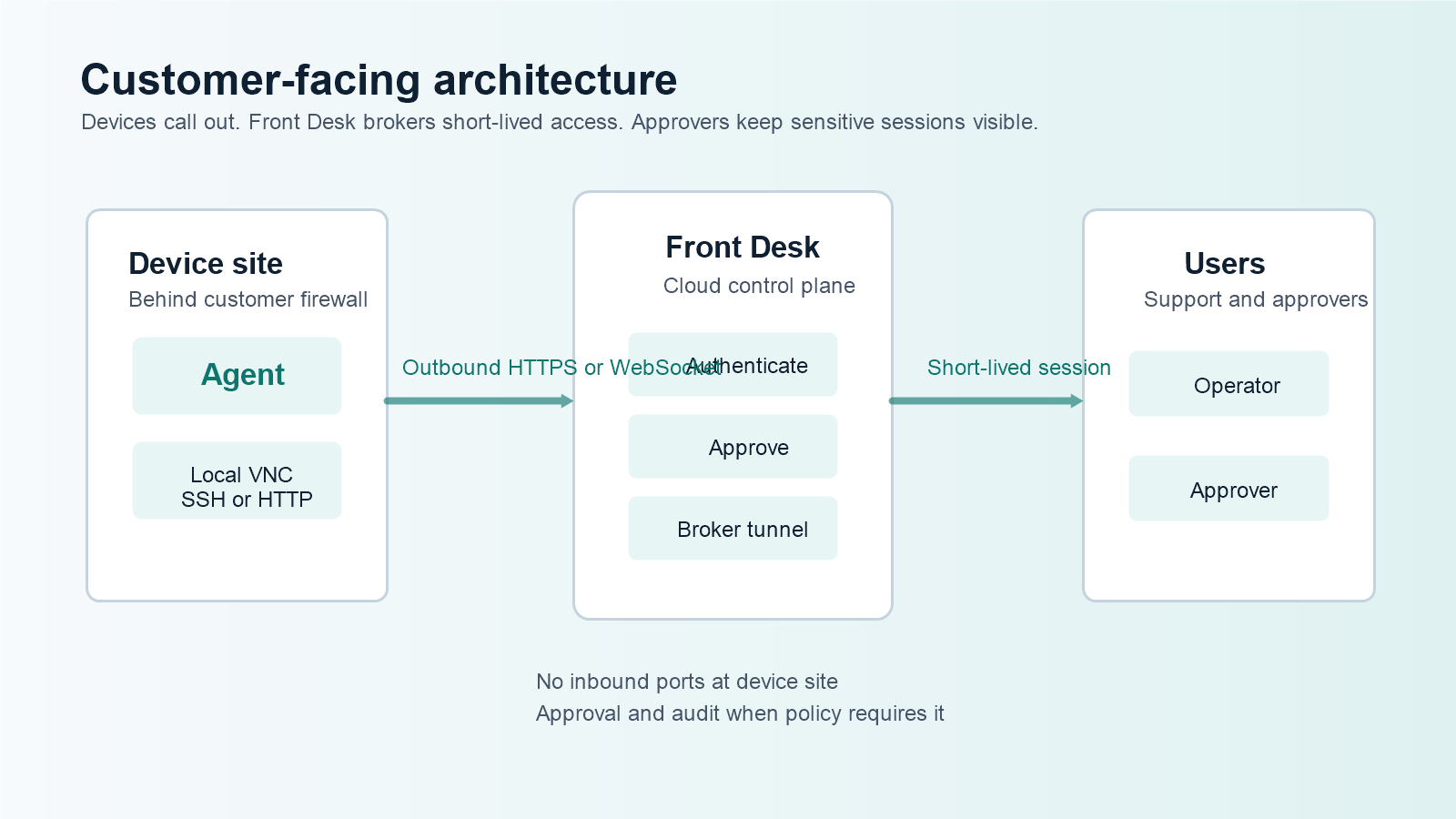
The device makes outbound contact to Front Desk. Operators and approvers use the web portal. Front Desk brokers the session instead of asking the customer site to expose a remote-access server.
That makes the request easier to approve: allow outbound traffic to known Front Desk domains, keep inbound device ports closed, and apply account policy before access starts.
VPNs are useful when you need to join networks. They are often too broad for a single support task across many customer locations, each with different firewalls, address ranges, policies, and approval steps.
Front Desk is narrower. It is designed to reach a specific device or local service through a session that can be approved, audited, and closed.
Store customer details, account limits, feature flags, installer preferences, and support policy.
Produce an account-scoped installer or portable activation bundle for the customer fleet.
Devices register under the account and call out when they are reachable.
Operators request access, approvals run if required, and sessions close when the work is done.